

Rovbet App and Mobile Version
Browser, PWA and APK compared, with safe installation steps for Android and iPhone and fixes for common mobile problems.
18+ · Gamble responsibly
The Rovbet app question comes up as soon as a domain stops loading on a phone. This guide explains what lies behind every Rovbet app download request, what exists for mobile users, which option is the safest and how to install it step by step. There is no native app in the App Store or Google Play because of local restrictions; instead the platform works in a mobile browser, as a home-screen shortcut (PWA) and, for Android, as a package file offered on the official site.
The page is written for adults aged 18 and over and does not link to any download file. Installing software from the wrong source is the biggest mobile risk, so each section ends with a check the reader can run alone. Offers and addresses can change; the rules inside the account area are binding. Last update: 12 November 2026, and free help is available from GambleAware and the National Gambling Helpline on 0808 8020 133.
Do You Need the Rovbet App?
Most users do not need a separate installation. A current phone opens the site in its browser, and a home-screen shortcut gives the feel of an app without a package file. Rovbet android users can also take the APK from the official page, which is useful when the domain changes and the shortcut stops resolving. iPhone and iPad users rely on the shortcut method only.
The practical advice is simple: start with the browser, move to the PWA if you log in daily and consider the APK only when you understand the permissions it asks for. The fewer files installed, the smaller the attack surface for fake software.
APK Safety and Permissions
A Rovbet apk download is safe only when the file comes from the official page of the brand and nowhere else. Telegram groups, file-sharing sites and shortened links are the usual carriers of modified packages that steal logins or add hidden advertising. Before installing, check the domain, the HTTPS padlock and the file size and version printed on the page.
During installation Android asks for permission to install from an unknown source. Grant it only for the browser you used, and switch it off again afterwards. Then review the permissions the app requests: a betting app has no reason to ask for contacts, SMS or microphone access. If something looks excessive, cancel the installation and delete the file.
This page does not give a direct Rovbet download link on purpose. Numbered mirror domains and unofficial links change constantly, and a link that works today can point to a clone tomorrow. Use the address announced on the brand's verified channels instead.
Fast Deposits from Your Phone
Paying through Rovbet mobile is quick, but speed is also where mistakes happen. Open the cashier only after confirming the domain, choose the method, check that the payment account is in your own name and read the summary screen before confirming. The minimum deposit is usually 50–100 TRY, and the welcome package normally needs 100 TRY or more.
For crypto, copy the address from the cashier into your wallet app, choose the same network and send a small test amount first. Bank transfers depend on bank hours, so a payment sent late on a Friday may only appear on Monday. Keep the receipt, because it is your proof in case of a dispute.
Mobile Games Interface Review
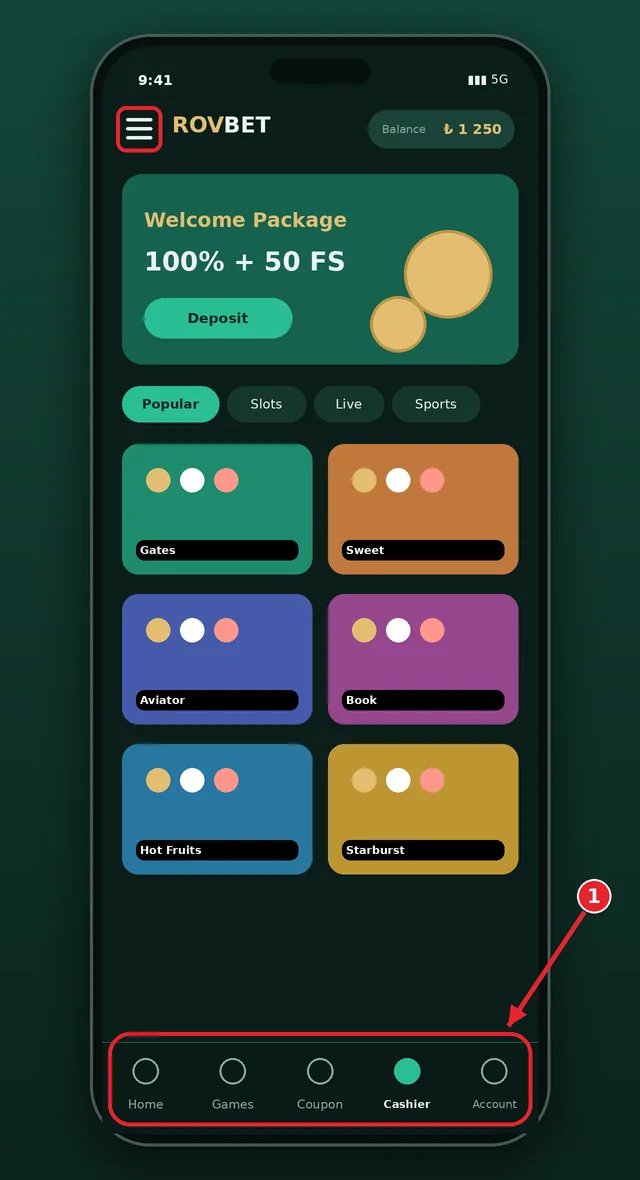
The bottom bar of the mobile layout normally contains home, games, coupon, cashier and account. The cashier and account icons are the most used shortcuts, and the log-out button sits at the bottom of the account section.
The search box filters games and matches by name, while category tabs separate slots, live tables and sports betting. Filters can sort by provider and by popularity, which helps when a catalogue of more than 3,000 titles is shown on a small screen.
Touch targets are large enough for one-handed use, and live tables adapt to portrait mode. Heavy animated games can load slowly on older phones, so lowering the graphics quality in the game settings is a quick fix.
Mobile Browser vs PWA App
A PWA (progressive web app) is a website saved as a shortcut. It opens full screen, has its own icon and updates itself, yet it is not a store application. The table compares the three options a mobile user has.
| Feature | Mobile browser | PWA shortcut | Android APK |
|---|---|---|---|
| Installation | None | Add to Home Screen | File download and install permission |
| Storage | Very small | Very small | Size of the package |
| Full-screen view | No | Yes | Yes |
| Updates | Automatic | Automatic | Manual or by prompt |
| Security risk | Low | Low | Depends on the source, can be high |
| Device support | All | iPhone, iPad, Android | Android only |
On Rovbet ios devices and Android alike, the PWA is the balanced choice for most people: it removes the address-bar step that phishing pages exploit and needs no extra permissions. Remove and re-add the shortcut if the domain changes.
Mobile Data and Battery Use
A Rovbet app download is not needed for light browsing, which uses little data, while live video and animated slots use much more. As a rough guide, a live dealer stream or a match video can consume a noticeable amount of data per hour, so prefer Wi-Fi for long sessions. A Rovbet apk download also uses storage, and exact megabyte figures depend on the device, the network and the game, so no fixed number is promised.
Long sessions drain the battery quickly, so to protect it lower the screen brightness, close background apps and avoid playing while charging on a hot day. If the phone becomes warm, stop and let it cool; throttling slows the game and can cause a missed bet window.
Data saver modes in the browser reduce image quality and can break game loading, so switch them off for the site if a game refuses to start. A stable connection matters more than a fast one, especially in live betting.
Mobile Troubleshooting
Most mobile problems have a short list of causes. The table links each symptom to the likely reason and the fix, starting with the address check because blocked or changed domains explain most failures.
| Problem | Likely cause | Fix |
|---|---|---|
| Page does not open | Domain blocked or changed | Re-verify the address on the official channels; do not trust numbered mirrors |
| Cannot log in on mobile | Wrong password, stale session or cache | Reset the password, clear the browser cache, wait for the verification code |
| Installation stops | Unknown-source permission off or damaged file | Check the file source; if in doubt, cancel the installation |
| App crashes | Old version or low storage | Restart the phone, free storage, re-add the shortcut |
| Live stream stutters | Weak connection | Switch to Wi-Fi, lower the stream quality |
A Rovbet download that stops halfway usually points to low storage or a weak connection. If none of these steps helps, contact live chat with your device model, browser version and a screenshot of the error. Do not share a password or verification code with anyone.
Rovbet Android Installation Steps
The package file is the second path, so the steps below cover the shortcut method first and the package file second. They are written so that a user never has to leave the verified domain.
- 01
Verify the official address
Open the site only from the address you have verified, with HTTPS; never use a link received in a message or a search result.
- 02
Open the Chrome menu
Tap the three-dot menu in the top right and look for Install app or Add to Home screen.
- 03
Confirm the shortcut
Check the name in the dialog and confirm; the shortcut appears on the home screen.
- 04
Check the source of any package file
A file must come only from the official page, and its size and version should match the page. If in doubt, do not install it.
- 05
Review the permissions
Grant the unknown-source permission only to your browser and turn it off afterwards; deny any permission a betting app does not need.
Rovbet on iOS (iPhone) Guide
iPhone users have one reliable path: Safari and the Add to Home Screen option. Because Rovbet ios use does not involve an App Store download, there is nothing to update manually, and the shortcut always opens the current version of the site.
- 01
Open Safari
Open the verified address in Safari; the home-screen option may work differently in other browsers.
- 02
Tap the Share button
Press the share icon at the bottom or top of the screen and scroll down the list.
- 03
Select Add to Home Screen
Check the name of the shortcut and tap Add in the top right.
- 04
Launch the shortcut
Tap the new icon on the home screen; the site opens without an address bar.
- 05
Set up security
Keep the screen lock and Face ID or passcode on, and store passwords only in the device password manager.
If the icon disappears after a system update, add it again in the same way. A Rovbet iPhone shortcut carries no stored password unless you choose to save one.
Live Betting on Mobile
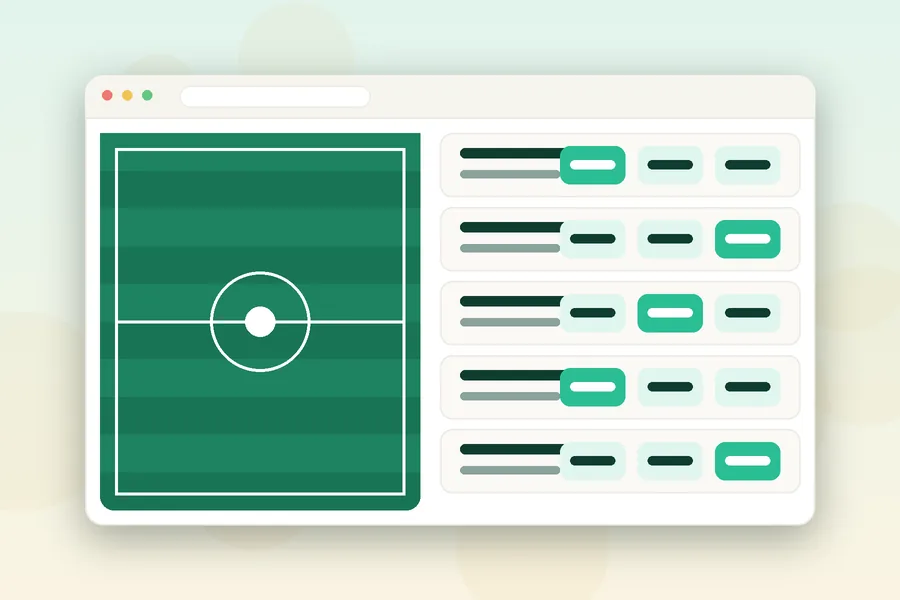
Live betting on a phone is fast, and speed makes mistakes. Confirm the odds on the coupon, wait for the confirmation screen and check the bet history before repeating the same coupon, because a slow connection can make a bet look as if it failed when it was in fact accepted.
Sports covered include the Premier League, the Champions League, EuroLeague, tennis and esports, and selected matches have a free embedded video stream with no deposit needed. The picture trails the real match by a few seconds, so never bet on what you see alone; the score panel is more current.
Set a stake and a time limit before the match starts, enable do-not-disturb for other apps and stop when the limit is reached. Mobile use makes gambling easy to access at any hour, which is exactly why limits matter more on a phone.
FAQ
Is there a Rovbet app?
There is no native app in the App Store or Google Play because of local restrictions. Android users can download an APK from the official page, and iPhone and Android users can add the site to the home screen as a PWA. The PWA opens full screen without an address bar and updates by itself.
Where can I download the Rovbet APK?
Only from the official page of the brand, reached through the verified address. Files shared in Telegram groups, on file sites or through shortened links can be modified and may steal logins. Check the domain, the HTTPS padlock, the file size and the permissions requested before installing, and cancel if anything looks wrong.
How do I use Rovbet on iPhone?
Open the verified address in Safari, tap the Share button and choose Add to Home Screen. The icon appears on the home screen and the site opens full screen without an address bar, like an app. No App Store download is needed, and updates arrive automatically through the page itself.
Are all games available on mobile?
Most slots and live tables open in a mobile browser or the PWA, but some heavy games may run slowly on older phones or weak connections. If a game stutters, update the browser, close background apps and move to a stable Wi-Fi network. Contact support with the device model if the problem continues.
How do I keep my account safe on mobile?
Use a unique long password stored in a password manager, keep the screen lock on and avoid public Wi-Fi when logging in. Log out after the session and never share a verification code with anyone, including people who claim to be support. Install nothing from unknown links.
In short, the safest Rovbet mobile setup is the browser or a PWA shortcut from a verified address; the APK is an option only when its source is the official page and its permissions make sense. Keep the system updated, use a screen lock, log out on shared devices and never share codes or passwords. Mobile access makes betting available all day, so set limits first and remember the platform is for adults aged 18 and over. If gambling stops being fun, read the responsible gaming page and call 0808 8020 133. Related guides: login and payments.